
Domikyo.com: A Practical Guide to Its Content, Features, and Online Reliability
Domikyo.com When searching for information online, it is common to come across websites that are not immediately familiar. One name that readers may encounter is Domikyo.com. If you have recently seen this website in search results, you may be wondering what it offers, which topics it covers, and whether its information is useful for everyday needs.
Domikyo.com is associated with online informational content. Public descriptions connect the name with technology, digital trends, smart-home topics, business, finance, health, and lifestyle. However, descriptions of its main focus vary across websites, so it is worth checking the actual domain and its current content rather than relying on a single summary.
This guide looks at Domikyo.com from a reader’s perspective. It explains what to look for when visiting the site, how to assess its articles, and how to use information from websites like this without making unnecessary mistakes.
What Is Domikyo.com?
Domikyo.com is a website name associated with informational articles and digital topics. Unlike a dedicated shopping platform or a single-purpose mobile application, it is generally described as a content-oriented website where readers can explore different subjects.
The range of topics associated with Domikyo includes technology, connected devices, online services, business ideas, financial education, and everyday lifestyle information. Some third-party descriptions place particular emphasis on smart-home technology and home networking, while others describe a broader collection of general-interest articles.
This difference matters because websites can change their publishing focus over time. A site that once concentrated on one subject may later introduce additional categories or update its editorial approach.
Before deciding what Domikyo.com offers, visit the exact web address and examine the articles currently available. The homepage, category pages, and individual posts provide a more useful picture of its present focus than a short description published elsewhere.
What Topics Can Readers Explore?
The content associated with Domikyo covers several areas that may interest everyday internet users. The following sections explain how readers might benefit from these subjects and what they should check before relying on the information.
1. Technology and Digital Tools
Technology is one of the main subjects connected with Domikyo in public online descriptions. This area may be useful to people who want to understand software, online services, connected devices, and changes in digital technology.
For example, someone who has recently purchased a new Android phone might want to learn how to manage app permissions, improve account security, or transfer files between devices. A small business owner might be more interested in cloud storage, website tools, or software that helps organize daily tasks.
When reading a technology article, look for practical instructions rather than broad promises. A helpful guide should explain which settings to open, which options to select, and what the user should expect to see.
Check the publication or update date as well. Instructions for Android, Windows, and popular applications can become outdated after software updates. If a menu looks different on your device, consult the application’s official support page before changing important settings.
2. Smart-Home Technology and Connectivity
Smart-home technology is another subject associated with some descriptions of Domikyo.com. This includes connected lights, smart plugs, home security cameras, Wi-Fi routers, and devices that can be controlled through mobile applications.
Consider a simple example. You purchase a smart bulb and want to control it from your phone. The process may involve installing the manufacturer’s app, connecting the bulb to a compatible Wi-Fi network, and granting the permissions required for setup.
A useful article should explain these requirements clearly. It should also mention compatibility limitations, because some smart devices support only certain Wi-Fi bands or require a separate hub.
If you are researching smart-home equipment, check the manufacturer’s specifications before buying anything. A general article may help you understand the technology, but it should not replace the product’s official instructions.
Security deserves attention, too. Change default passwords where possible, install firmware updates, and avoid exposing connected devices directly to the internet unless you understand the risks.
3. Business and Online Work
Business-related content can help readers understand basic ideas about entrepreneurship, digital marketing, productivity, and running a small business.
For instance, someone starting a home-based business might research how to create a basic website, organize customer inquiries, or compare email management tools. A freelancer may want to learn about invoicing software or methods for tracking project deadlines.
Articles in this category are most useful when they provide realistic examples. A guide explaining how to organize customer records is more actionable if it demonstrates a simple spreadsheet or describes a practical workflow.
Be careful with articles that promise quick profits or guaranteed business success. Results depend on factors such as demand, competition, expenses, skills, and the time available to manage a business.
Use general business articles to develop ideas, then verify costs, legal requirements, and platform policies before making a financial commitment.
4. Finance and Money Management
Financial education is another subject associated with the broader descriptions of Domikyo. Readers may be interested in budgeting, saving, understanding financial terminology, or learning how digital payment systems work.
Suppose you want to manage monthly household expenses more carefully. You could use a spreadsheet or a budgeting application to record income, rent, groceries, transportation, utility bills, and savings.
An article can help you understand the process, but the useful part comes from applying the information to your actual circumstances.
Treat investment recommendations, loan offers, and claims about high returns with extra care. Check information with official financial institutions and relevant regulators. Never share banking passwords, one-time verification codes, or card security details with an unfamiliar website.
General educational content can explain financial concepts, but it cannot determine which financial decision is appropriate for every reader.
5. Health and Lifestyle Information
Some descriptions present Domikyo as a broader information platform that also covers health and lifestyle subjects.
These topics can include everyday habits, productivity, sleep routines, personal organization, and general wellness education.
For example, an article about building a better daily routine might suggest preparing a task list the night before, keeping a consistent sleep schedule, or limiting unnecessary phone notifications during work.
Such suggestions can be useful starting points, but health information requires a higher standard of care. Check whether an article identifies credible medical sources and distinguishes general education from professional advice.
Do not stop prescribed treatment or change medication based solely on an online article. For symptoms, diagnoses, or treatment decisions, consult a qualified healthcare professional.
How to Explore Domikyo.com Step by Step
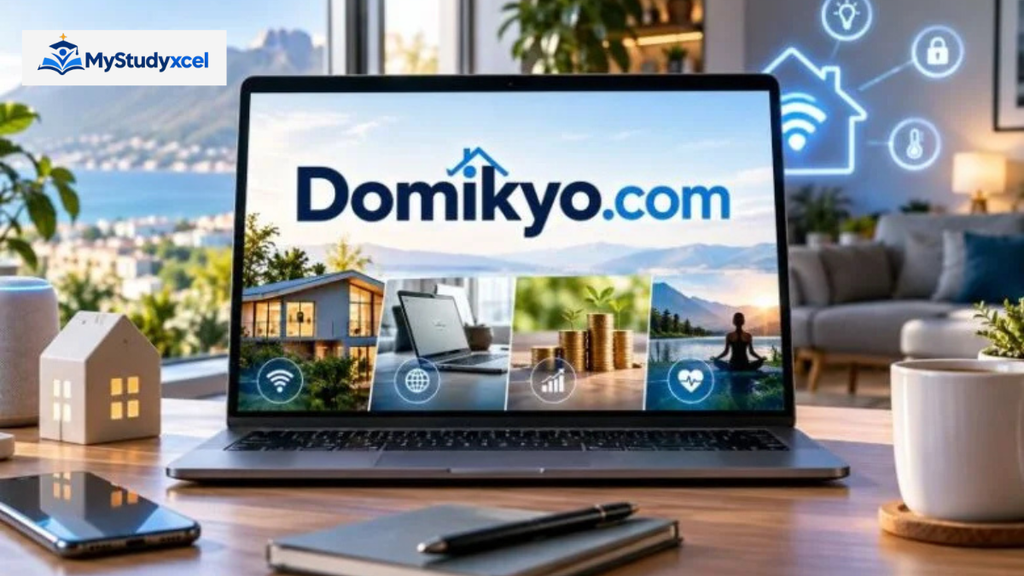
If you want to examine Domikyo.com for yourself, a short, organized visit can help you understand its content and decide whether it meets your needs.
Step 1: Check the Website Address
Open your preferred browser, such as Google Chrome, Mozilla Firefox, Microsoft Edge, or Safari.
Enter the exact domain you intended to visit. Check the spelling carefully, especially if you reached the site through a social media post, advertisement, or message.
This is important because similarly named websites may have different owners, content, and privacy policies.
A secure HTTPS connection is useful, but it does not automatically prove that a website is trustworthy.
Step 2: Review the Homepage
Look at the homepage to understand the site’s current purpose.
Check the article titles, visible categories, navigation menu, and dates on recent posts. This should give you a clearer idea of whether the site focuses on technology, general information, or a mixture of subjects.
Do not assume that every topic mentioned in an external description is actively covered on the current website.
Step 3: Open an Article That Matches Your Needs
Choose a topic you genuinely want to understand. If you are interested in home networking, for example, look for an article about router setup, Wi-Fi coverage, or connected devices.
Read the entire article rather than relying only on its title or opening paragraph.
Notice whether it explains the problem, provides useful steps, and identifies limitations. Instructions that include examples and troubleshooting advice are generally easier to apply than vague recommendations.
Step 4: Check the Sources and Dates
Look for a publication date, an update date, references, and the author’s background.
A recent article is not automatically accurate, and an older article is not automatically wrong. What matters is whether its information remains correct for the subject being discussed.
For software tutorials, compare instructions with official documentation. For financial information, consult appropriate financial institutions or regulators. For medical topics, prioritize recognized health organizations and qualified professionals.
If an article makes an important claim without explaining where the information came from, treat that claim as something to verify.
Step 5: Decide Whether the Advice Is Practical
Before following a recommendation, ask yourself three questions:
- Does the advice directly address my problem?
- Can I verify the important facts independently?
- Could following these instructions create a security, financial, or health risk?
These questions help separate useful guidance from content that sounds convincing but provides little real value.
Is Domikyo.com Safe to Use?
It is not possible to determine a website’s overall safety from its name alone. A reliable assessment requires checking its current pages, ownership information where available, security practices, and the nature of any actions it asks visitors to take.
You can take several simple precautions while exploring Domikyo.com.
First, avoid downloading unfamiliar files simply because an article recommends them. If you need software, obtain it from the developer’s official website or a recognized application store.
Second, do not enter sensitive personal information unless you understand why it is required and have verified the service requesting it. An ordinary informational article should not need your banking password or a one-time login code.
Third, examine the site’s privacy policy and contact information. Clear policies and identifiable editorial information help readers understand how a website operates, although their presence alone does not guarantee reliability.
Finally, keep your browser and operating system updated. Security updates help protect against known vulnerabilities, regardless of which informational websites you visit.
These precautions are sensible for any unfamiliar website, not just Domikyo.com.
How to Judge the Quality of Its Articles
A website can cover interesting subjects and still publish articles of uneven quality. The best approach is to evaluate each article on its own merits.
Look for specific answers. If a post explains how to improve Wi-Fi coverage, it should discuss practical factors such as router placement, walls, interference, and network configuration.
Check the evidence. Important claims should be supported by credible sources, clear explanations, or verifiable examples.
Look for limitations. Good advice recognizes that different devices, budgets, locations, and personal circumstances can produce different results.
Check the author’s expertise. Author biographies, editorial standards, and relevant experience can help readers understand who prepared the information.
Compare important claims. When a topic involves money, health, privacy, or security, verify it with authoritative sources rather than relying on one article.
For example, imagine that an article recommends buying an expensive router to fix slow internet. Before spending money, check your current internet plan, test the connection near the router, and compare wired and wireless speeds. You may discover that the service plan or router placement is the real problem.
This kind of practical verification helps you avoid unnecessary purchases and make better decisions.
Who May Find Domikyo.com Useful?
The website may interest readers who prefer exploring several subjects rather than following a publication dedicated to one narrow field.
Beginners may appreciate accessible explanations of technology and digital services. People working from home may want ideas for organizing tasks or learning new tools. Readers interested in smart-home systems may seek background information before purchasing connected devices.
However, the site’s usefulness depends on the actual articles available and how well they answer a reader’s question.
If you need detailed technical documentation, professional medical guidance, current legal information, or verified financial data, a general-interest website should be a starting point rather than your only source.
Frequently Asked Questions
What is Domikyo.com?
Domikyo.com is a website name associated with informational content. Public descriptions link it to technology and digital topics, while some also describe broader coverage of business, finance, health, and lifestyle.
Is Domikyo.com a mobile application?
It is generally described as a website rather than a dedicated mobile application. You can check its current pages through a web browser. Verify any app claiming to represent the site before installing it.
Does Domikyo.com focus only on technology?
Not according to all available descriptions. Some references emphasize technology, smart-home systems, and connectivity, while others describe a broader range of subjects. Check the live site’s categories to understand its current focus.
Can I trust everything published on Domikyo.com?
No website should be treated as automatically correct. Check the author’s background, publication date, sources, and supporting evidence. Verify important health, financial, and security information independently.
Do I need an account to read its articles?
Account requirements can change, and they should not be assumed without checking the current website. If a page asks you to register, review what information it requests and why.
Is Domikyo.com suitable for beginners?
Its reported informational focus may appeal to readers who want accessible explanations. However, suitability depends on the clarity, accuracy, and depth of the specific article you choose.
A Better Way to Use Online Information
Domikyo.com is worth examining if you are researching its content or looking for explanations of digital and everyday topics. Still, the name alone tells you little about the quality of an individual article, and different public descriptions make it sensible to verify the website’s current focus.
The most useful habit is to approach every unfamiliar source with curiosity and a little caution. Read beyond the headline, check the evidence, compare important details with reliable sources, and test low-risk suggestions before making larger commitments.
That approach is useful whether you are learning about a smart-home device, researching a business idea, organizing your finances, or simply trying to understand a new technology. A website becomes valuable when its information helps you solve a real problem—and when you know how to judge that information for yourself.
Also Read: technewsoutlets.com usa